An iOS app is often the first thing businesses order, and not because the iPhone is trendier. The iOS audience spends more on average and is more willing to pay, Apple's ecosystem is more predictable to build for, and the App Store delivers quality traffic when you approach it right. But because of all that "prestige", iOS is surrounded by myths about sky-high budgets. I build mobile apps, and I'll keep this simple: what iOS development actually costs, what it includes, and how to avoid paying for thin air.
Why businesses often start with iOS
When the budget won't stretch to both platforms at once, choosing between iOS and Android comes down to your audience, not taste.
iPhone users tend to spend more inside apps and agree more readily to paid features and subscriptions. If your model is sales or a subscription, iOS usually pays off faster. On top of that, iOS has far less device variety: Apple ships a limited lineup, so an app doesn't need testing across hundreds of screens and versions the way it does on Android. That lowers the cost and speeds things up.
So the common scenario looks like this: launch on iOS, confirm that people need the product and it makes money, then expand to Android. But it isn't a rule. If your audience is the mass market - delivery, services for the general public, where the Android share is higher - you should start there or go with both platforms at once. I look at your specific audience instead of recommending iOS by default.
What goes into building an iOS app
An app is more than what you see on screen. Behind a working product sit several parts, and they all affect the price and the timeline.
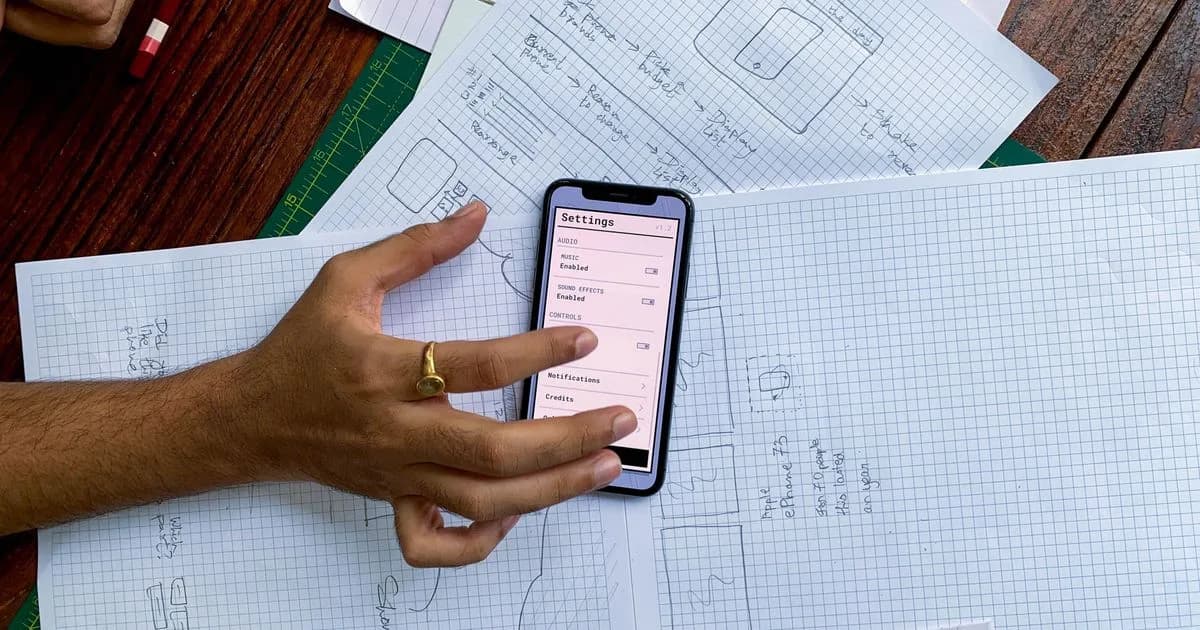
- Design and planning. Screens, navigation logic, a prototype. This is where you decide whether the app will be pleasant to use. Cutting corners here is the riskiest move of all.
- The iOS app itself. Swift code, native components, work with the camera, notifications, payments, maps - whatever your product needs.
- Backend and API. Server, database, logic, syncing. Almost every app, except the simplest ones, stores something and exchanges data.
- Integrations. Payments, analytics, push notifications, Sign in with Apple, links to your own systems or CRM.
- App Store publishing. A developer account, preparing the listing, getting through Apple's review.
- Post-launch support. Updates for new iOS versions, fixes, further development. Unlike a website, an app needs updates just to keep working.
When someone quotes you a price "for an app", it matters what that price actually covers. A cheap offer is often just the screens with no backend, and the real cost surfaces later.
How much an iOS app costs
The range is wide, because "an app" can mean a simple two-screen service or a complex product. Realistic market brackets:
- A simple app - 5,000-12,000 €. A few screens, a basic backend, one or two integrations. A booking service, a catalog, a simple user account.
- A mid-range app - 12,000-30,000 €. A serious backend, payments, notifications, several user roles, analytics.
- A complex app - from 30,000 €. Real-time features, intricate logic, lots of integrations, high demands on load and security.
- An MVP to test the idea - 5,000-15,000 €. A deliberately trimmed first version to reach the market fast and check demand.
What drives the price up is backend complexity, the number of integrations, and unique logic - not the number of screens. What barely moves the estimate: "nice transitions". What inflates it for no benefit: trying to pack every feature into the first version instead of building an MVP.
If you're only testing an idea, I almost always recommend an MVP: smaller budget, faster launch, and from there you grow what people actually use. More on the process in the mobile app development service.
Swift or cross-platform for iOS
There are two ways to build for iOS: natively in Swift, or with a cross-platform framework like Flutter or React Native, which also gives you Android down the line.
Native Swift delivers maximum performance, immediate access to every iPhone capability, and the most "Apple-like" feel in the interface. It's the choice when the app is iOS-only and speed, heavy graphics, or tight hardware integration matter.
Cross-platform pays off when you'll eventually need both platforms: one codebase gives you iOS and Android, and that's noticeably cheaper than building two native apps. For most business apps - booking, catalogs, services, user accounts - cross-platform covers the job fully and saves budget.
I match the tool to the task. If the app is iOS-only and demanding, Swift. If both platforms are planned and the logic is ordinary business logic, cross-platform. This has to be decided before you start, because moving from one to the other is expensive.
What to keep in mind specifically for iOS
Apple has its own rules, and it's better to know them in advance so you don't hit a wall at the publishing stage.
The App Store reviews apps more strictly than Google Play: it checks functionality, security, payments. If an app sells digital content or subscriptions, Apple requires you to use its payment system and takes a commission - you need to factor that into the business model from the start. An Apple developer account is paid, around 99 € a year. And iOS updates ship regularly, so the app needs ongoing support, otherwise it will start breaking over time.
None of this is scary if it's accounted for from the beginning. Problems arise when Apple's rules come to mind at the "everything's ready, let's publish" stage.
Timelines and how I work
A simple app or an MVP - 1-3 months. A mid-range one - 3-6 months. A complex one - from six months. The main brake isn't the code, it's the clarity of requirements: the more precisely you know at the start what the app should do, the smoother the timeline runs.
We start by breaking down the idea: what problem the app solves, who the user is, how you make money, what's essential in the first version and what can wait. Then prototype and design, development, testing, App Store publishing. After launch - support and growth based on how people actually use it. An app isn't a one-off project but a product that lives and gets updated, and that's worth planning for from the start.
FAQ
How much does it cost to build an iOS app? A simple iOS app runs 5,000-12,000 €, a mid-range one with payments and a serious backend 12,000-30,000 €, a complex one from 30,000 €. An MVP to test the idea is 5,000-15,000 €. The price is driven by backend and logic complexity, not the number of screens. I give an exact estimate after we go through what the app actually needs to do.
How long does iOS app development take? A simple app or an MVP takes 1-3 months, a mid-range one 3-6 months, a complex one from six months. The main factor for the timeline is clarity of requirements at the start. The more precisely you know what belongs in the first version, the smoother development goes. That's why I suggest starting with an MVP and growing the product from there.
Should I build for iOS only or for Android at the same time? It depends on the audience. iPhone users have a higher average spend and move through paid features more easily, so subscription and sales products often start on iOS. If your audience is mass-market, where the Android share is higher, you should start there or go with both platforms at once. I look at your specific audience rather than recommending iOS by default.
Should I build an iOS app in Swift or Flutter? Native Swift gives maximum performance and access to every iPhone capability, and it's justified when the app is iOS-only and demanding. A cross-platform tool like Flutter pays off if you'll eventually need both platforms: one codebase gives iOS and Android and saves budget. For ordinary business apps, cross-platform is usually enough. The choice is made before you start.
What do I need to know about the App Store before launch? Apple reviews apps more strictly than Google Play, requires its own payment system for digital content and subscriptions with a commission, and a developer account costs around 99 € a year. On top of that, the app needs support for new iOS versions. These rules are best accounted for at the start and built into the business model, so you don't hit them at the publishing stage.